
Chapter 18 · 18.10
I can't send email
Does a message stay in your Sent folder, do you get an error when sending, or does your mail bounce back? Always start with the same test: does sending work in webmail? That tells you straight away whether the problem lies with your mail program or with the server.
Step 1: send a test from webmail
Log in to webmail with the email address and password (see Opening webmail) and send a message to another address of your own, for example a Gmail address.
- Does it work in webmail? Then the problem lies with the settings of your mail program or phone. Go to step 2.
- Doesn't it work in webmail either, or does the mail bounce back with an error? Go to step 3.
Step 2: check the outgoing mail settings
Most sending problems lie in the settings for the outgoing server (SMTP). Check these points:
- Server: your domain name itself, such as yourdomain.com (if your domain points to your package), or the server name of your package, such as linux2023.webawere.nl (see Finding your server name and DA user name and All settings at a glance: servers, ports and security).
- Port and security: 587 with STARTTLS, or 465 with SSL/TLS. Port 25 is blocked by many internet providers.
- Authentication on: the outgoing server requires you to log in. Use the full email address as your username and the password of the mailbox.
All the settings in one place are in All settings at a glance: servers, ports and security, and per program in chapter 8. The most common mistakes are explained in Sending or receiving doesn't work: how to fix it.
Step 3: the most common causes on the server
1. Your IP address is blocked
If a phone or laptop keeps trying with an old password, the server's firewall blocks your IP address. You then can't send mail from that connection, and often can't open your website either. Check it in My WebOké with Am I blocked? in the Support Centre.
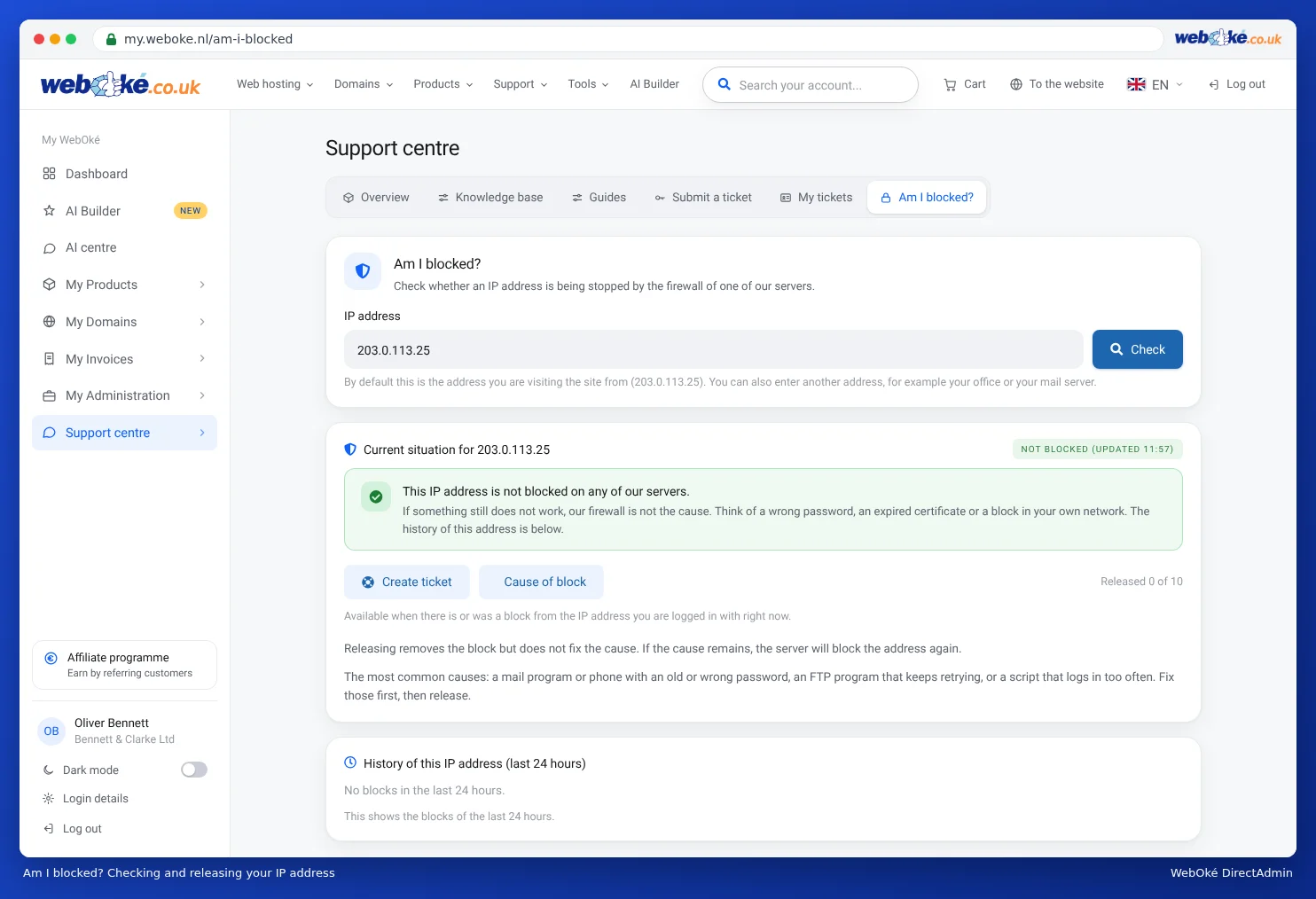
First correct the password on all your devices, and only then unblock the address. Otherwise you'll be blocked again within a few minutes (see Solving login problems).
2. The sending limit has been reached
There's a maximum number of messages per day for each mailbox and each package. If you reach it, you'll get a message such as message limit reached and you can only send again later. Read Send limits and the 'message limit reached' message. If you send newsletters, use a newsletter service for that.
3. Your mailbox has been misused
Have you reached the limit while sending very little yourself? Then someone else may be sending spam through your mailbox. Change the password immediately and read What to do if your e-mail address has been misused.
4. You're sending from an address other than the mailbox
Are you sending mail with a sender address that doesn't belong to the mailbox you're logging in with, for example an alias or an address from another domain? Then the server may refuse it. Send from the mailbox's own address, or create a separate mailbox for the other address (see Creating an e-mail address).
5. The recipient refuses your mail
Does your mail bounce back from one particular recipient, or does it end up in their spam folder? Then the problem isn't with sending, but with how the recipient assesses your mail. Make sure SPF, DKIM and DMARC are set up correctly (see Setting up and adding to SPF, Turning on and checking DKIM and Setting up DMARC) and read My mail ends up in the recipient's spam folder and Sending refused: blacklists and limits.
6. The package is full
If your package is full, your mail program can't save the sent mail in the Sent folder, making it look as if sending has failed (see Storage full: where's the space going?).
Common error messages
| Message | What does it mean? |
|---|---|
| Relaying denied, Relay access denied | You're not logged in to the outgoing server. Turn on authentication (step 2). |
| Authentication failed, login details rejected | Wrong password or not using a full email address as the username. |
| Connection to the server failed, time-out | Wrong server or port, port 25 blocked by your provider, or your IP address is blocked. |
| Certificate invalid or name mismatch | Use the server name of your package as the server (see All settings at a glance: servers, ports and security). |
| Message limit reached | Sending limit reached (see Send limits and the 'message limit reached' message). |