
Chapter 6 · 6.6
Let's Encrypt not working: causes and solutions
If requesting a free certificate fails, it's almost always down to the DNS: Let's Encrypt can't reach your server through your domain name. Below you'll find the messages you might come across and what to do about them.
Where can you see what went wrong?
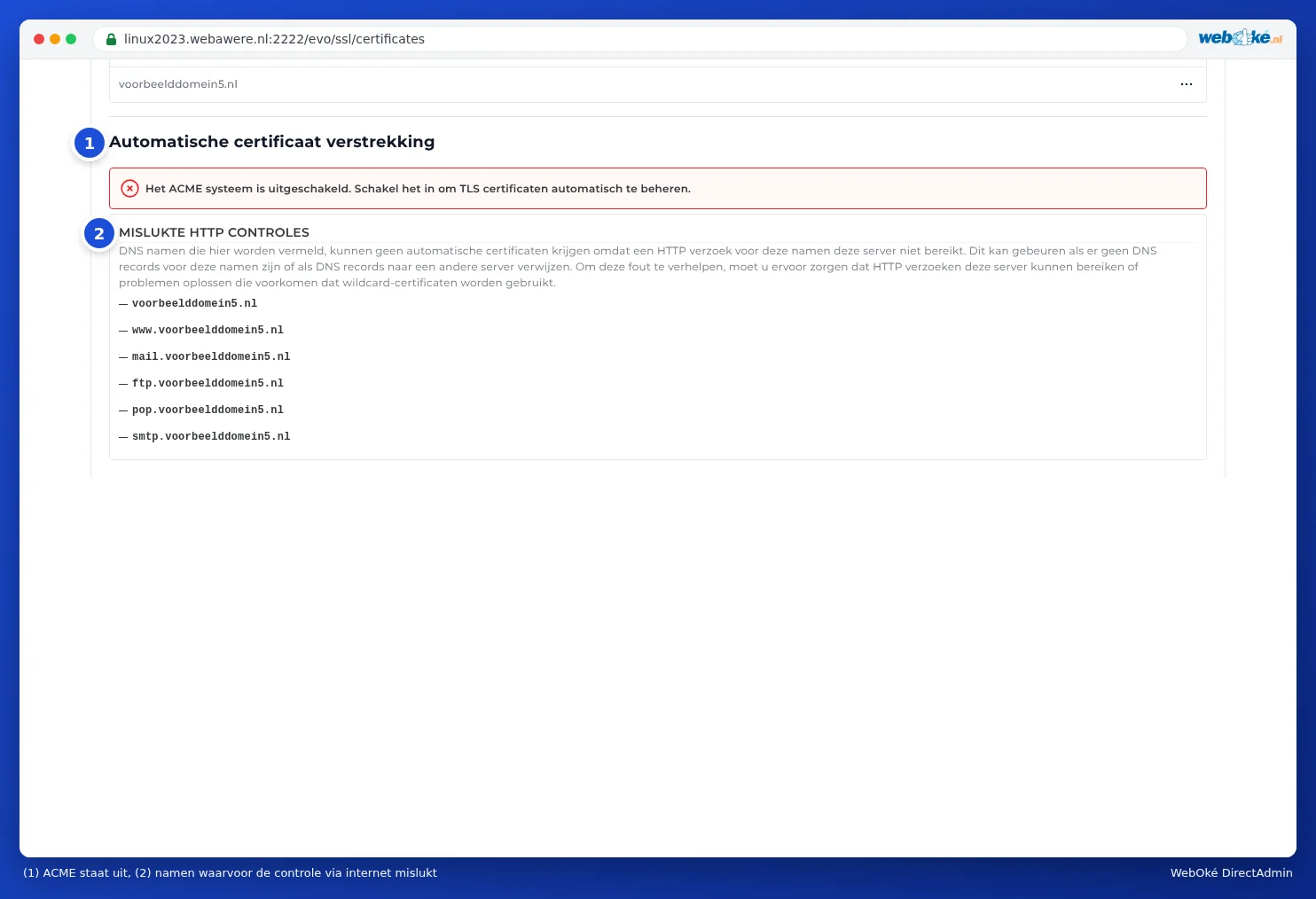
- At the bottom of Manage certificates, under FAILED HTTP CHECKS: the names for which the check failed.
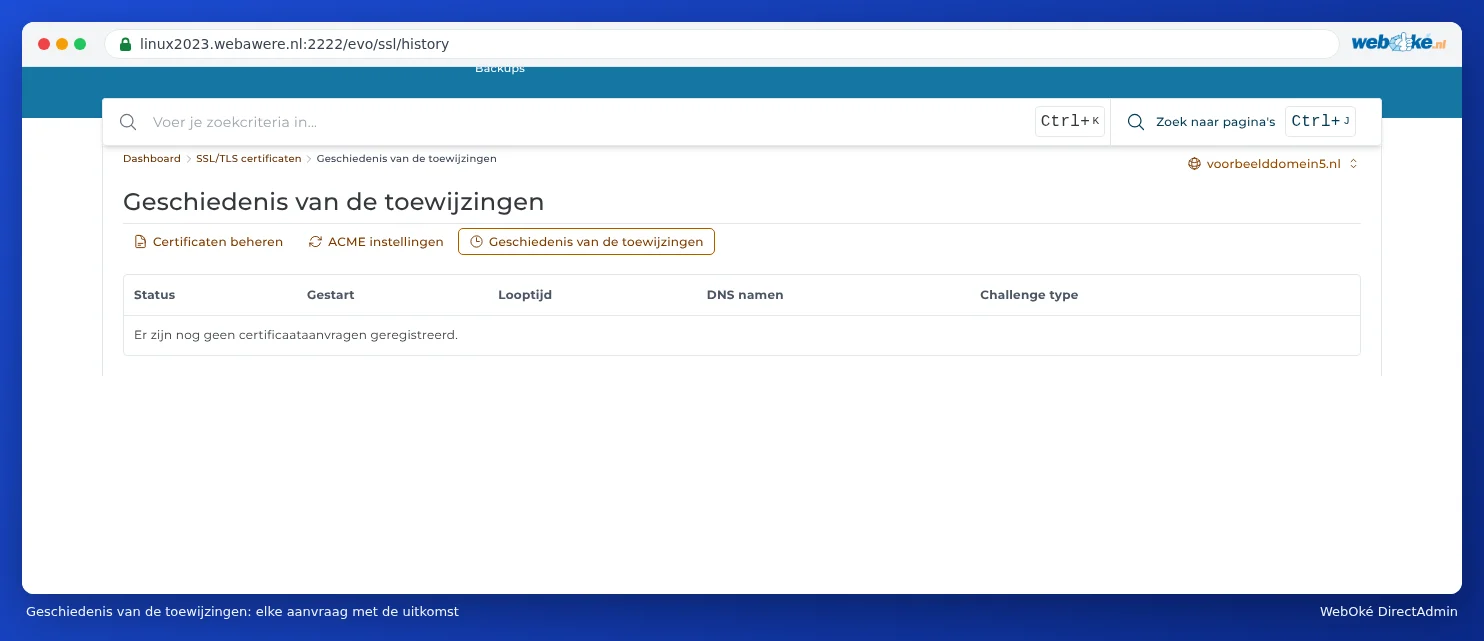
- Under Provisioning history: every request with its Status, when it Started, the DNS names and the Challenge type (the method of checking).
The messages and what to do
The ACME system is disabled
Automatic requesting is switched off for this domain. Turn it on under ACME Settings (see Requesting a free Let's Encrypt certificate, step 3).
Failed HTTP checks
DirectAdmin explains it itself: DNS names listed here cannot receive automated certificates because an HTTP request for these names does not reach this server. This can happen if there are no DNS records for these names, or if DNS records point to a different server.
What to do:
- Does the domain still point to your old provider? This is the most common cause, for example just after a move. Update the DNS or nameservers and wait until it's visible everywhere (see When does a change take effect? Waiting time and TTL). Then request the certificate again.
- Is the AAAA record correct? Let's Encrypt also checks over IPv6. If the A record points to us but the AAAA record still points to another server, the check will fail. Update the AAAA record or remove it (see Adding or changing an A or AAAA record).
- Are you using Cloudflare's proxy (orange cloud)? Turn it off temporarily until the certificate is in place (see DNS in My WebOké and with external name servers such as Cloudflare).
- Does the list only show mail, ftp, pop or smtp, and you don't use these names because your email is hosted elsewhere? Then that's not a problem: your website will still get a certificate.
- Is your website blocking the check? Let's Encrypt retrieves a file from the /.well-known/acme-challenge/ folder on your site. A custom rule in .htaccess, a security plugin or a password-protected folder can prevent this. Temporarily remove such a rule or make an exception for .well-known.
CAA check failed
A CAA record in your DNS determines which parties are allowed to issue certificates for your domain. If there's a CAA record without letsencrypt.org, Let's Encrypt will refuse. Add letsencrypt.org to the CAA record or remove the record (see Opening DNS Administration and reading the records).
The ACME rate limit has been reached
Let's Encrypt only issues a limited number of certificates per domain per week, and temporarily blocks requests after many failed attempts. Wait an hour to a day and then try again. Don't keep clicking repeatedly: resolve the cause first.
The wildcard isn't working
A wildcard is only possible if the DNS is hosted with WebOké. If your DNS is elsewhere, turn off Prefer wildcard certificates in ACME Settings (see Certificate for www, subdomains and wildcard).
A different provider is configured
Check under ACME Settings whether ACME provider is set to Let's Encrypt: Default (Let's Encrypt), or Other with Let's Encrypt underneath. A different provider may require its own terms or its own account.
I'm getting a certificate in the server's name
Do you see a certificate for, say, linux2023.webawere.nl on your domain or subdomain, with a warning that the name doesn't match? Then that name doesn't have its own certificate yet, and the server is showing its own certificate instead. Resolve the cause above and request the certificate again.
My site has been offline since I did something with SSL
- Did you turn on HSTS while the certificate wasn't working yet? Turn off HSTS and request the certificate (see Always redirect visitors to https).
- Did you upload your own certificate that doesn't match the name or has expired? Remove it in the Certificate list, so DirectAdmin can request a free certificate again.
- Do you see a different or blank page over https, with text saying you need to put an index.html in private_html? Then private_html is a separate folder for your domain. Ask us via a ticket to point private_html to public_html (see Domain settings: SSL, PHP, www and private_html).
Still stuck?
Ask the AI assistant in My WebOké to check your certificate, or open a ticket. Mention your domain name and what you see under Failed HTTP checks or in the History.