
Chapter 14 · 14.3
WHOIS, IP lookup and SSL checker
Our website has a few free tools that are handy when managing your domain and website. You don't need to log in to use them. You'll find them in the Tools menu:

- WHOIS lookup: who owns a domain name?
- IP lookup: which IP address belongs to a domain, and where is it located?
- SSL check: is a website's certificate in order?
- Test your website before moving: see Testing your website before a move.
- Domain health: see Domain health (also without an account).
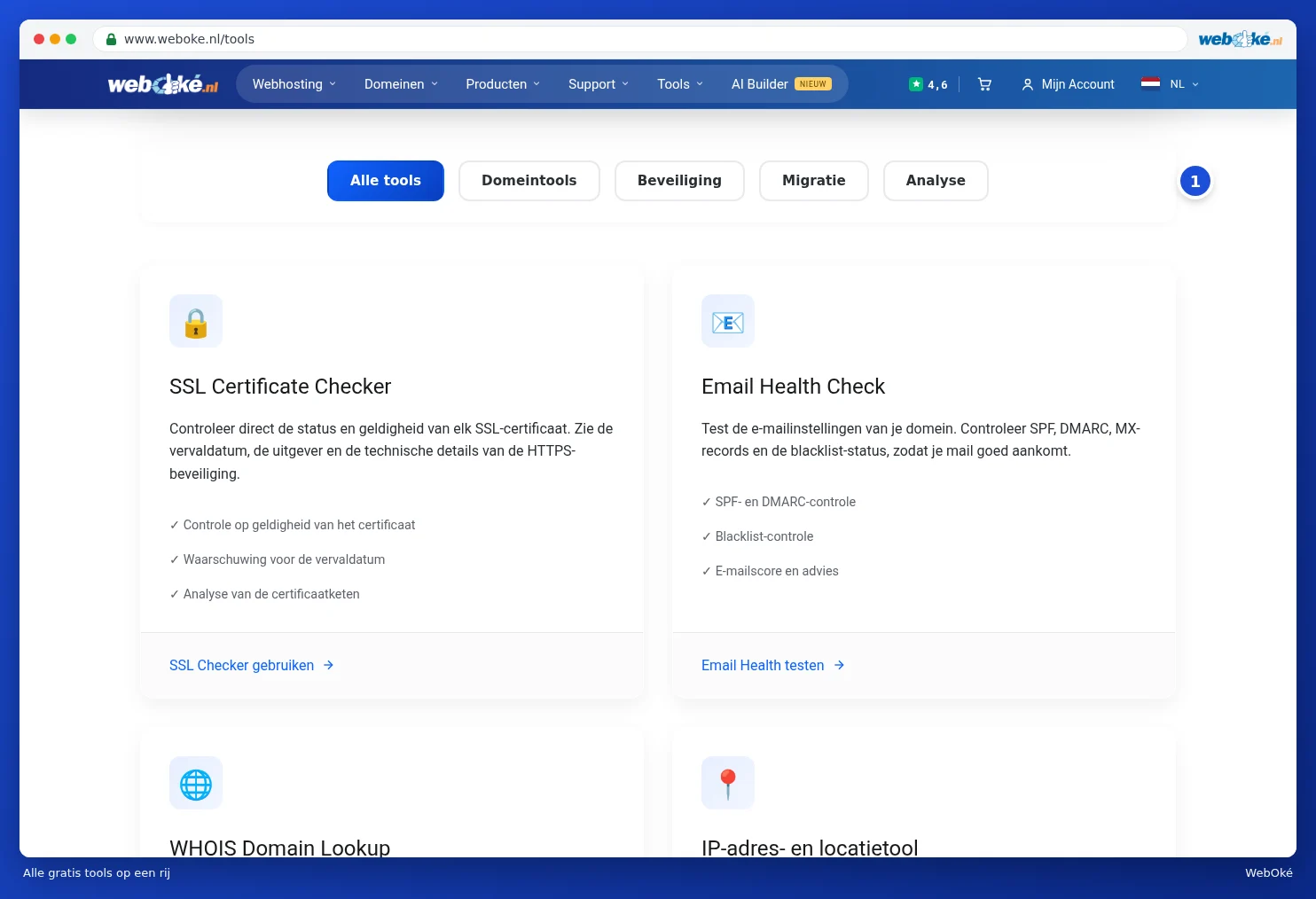
The same menu also has Email migration (Migrating email to WebOké (including from Microsoft 365)) and Webmail. At the bottom you'll find All tools. There you'll see all the tools in one list, with buttons (1) to filter them by type: domain tools, security, migration and analysis.
WHOIS: who owns a domain name?
- In the Tools menu, choose WHOIS lookup.
- Enter the domain name (1), without www, and click Lookup WHOIS.
- Under WHOIS information for (2) you'll see the registry's public details: the status, the registrar, the nameservers and often the registration date.

Which details you see depends on the extension. For most extensions, the name and address of a private holder are hidden. If you want to hide your own details for an extension where that's possible, read WHOIS privacy.
IP lookup: which IP address does a website come from?
- In the Tools menu, choose IP lookup.
- Enter an IP address (1), or a Domain name (2).
- Click Analyze IP/Domain (3). Use Show my IP to see the IP address you're currently browsing with.
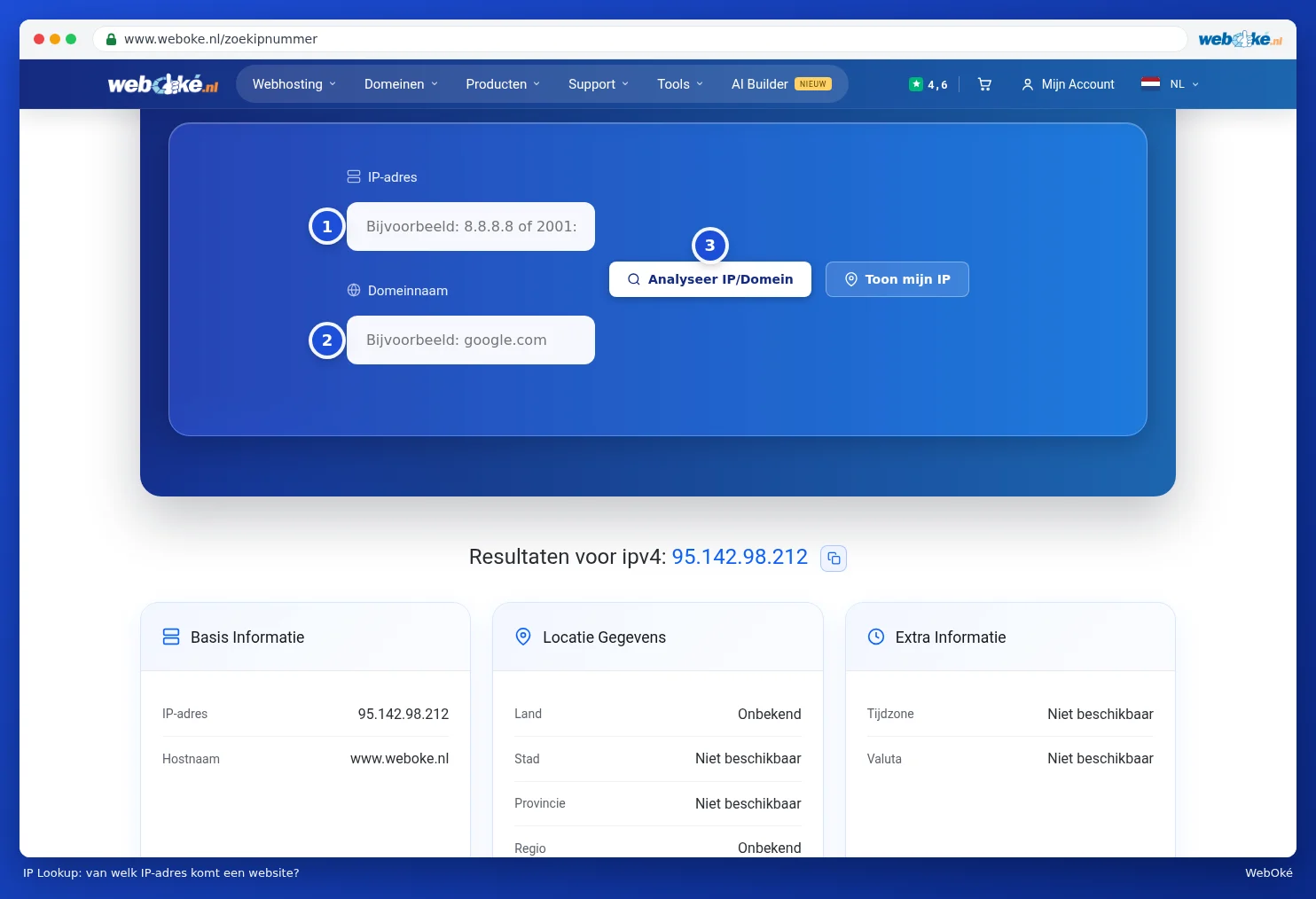
You'll see the IP address, the hostname and, if known, the location and the provider. Handy for checking whether your domain already points to WebOké's server, or for finding the IP address you need for Am I blocked? Release your own IP address.
SSL check: is the certificate in order?
- In the Tools menu, choose SSL check.
- Enter the domain name, for example www.yourdomain.com, and click Analyze SSL.
- You'll see the Certificate Status (valid or not, valid from and until and how many days it's still valid), the Certificate Details (such as the issuer), the names the certificate covers and the Certificate Chain.

Tip: is your domain not listed among the certificate's names, or has it expired? Then use Domain health (also without an account) to check whether your domain points to us correctly. You request or renew a certificate in DirectAdmin. You'll find out how to get there in Go to DirectAdmin, and the instructions are in the DirectAdmin manual.